

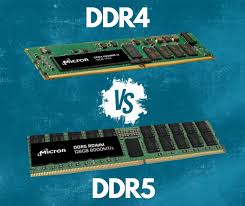
When upgrading or building a computer, choosing the right memory can greatly impact performance and efficiency. The debate of ddr4 vs ddr5 is at the center of this decision, as both offer unique benefits depending on your budget, usage, and hardware compatibility.
DDR4 remains a reliable and affordable option for most users, while DDR5 introduces faster speeds and improved bandwidth for those seeking cutting-edge performance. In this guide, we’ll explore how to choose the right RAM for your needs and determine whether DDR4 or DDR5 is the better fit for your system.
Understanding DDR4 and DDR5 Memory
DDR4 and DDR5 are types of system memory (RAM) used in computers, each with different features and performance levels.
It usually runs at speeds between 2133 MHz and 3200 MHz, but overclocked versions can go even higher.
Offers lower bandwidth and smaller maximum capacities compared to DDR5.
Has lower CAS latency, which can slightly improve responsiveness in some tasks.
Suitable for everyday computing, budget builds, and older systems.
DDR5 Memory
Provides much higher speeds (starting around 4800 MHz and exceeding 6400 MHz in high-end modules).
Supports larger capacities per module and increased bandwidth, allowing faster data transfer.
Introduces on-die ECC and on-module power management (PMIC) for better stability and energy efficiency.
Ideal for high-performance tasks, such as gaming, professional workloads, and future-proof systems.
DDR5 is the next-generation memory with higher speed, larger capacity, and improved efficiency, while DDR4 remains a reliable option for most standard computing needs.
DDR4 vs. DDR5 Performance and Technical Specifications
DDR4 Memory
Clock Speed: 2133–3200 MT/s (standard), with overclocked modules reaching up to 5000 MT/s. Suitable for general tasks and gaming, but may struggle with high-resolution gaming or heavy data workloads.
Bandwidth: Up to 25.6 GB/s for DDR4-3200 via a 64-bit bus. Adequate for most applications, but memory-intensive tasks may hit a bottleneck.
Latency: DDR4 CAS latency (CL) usually falls between 16 and 19, with some low-latency kits reaching CL13. Lower latency enhances responsiveness in real-time simulations and database workloads.
Advantages
Mature, reliable technology.
Broad system compatibility (Intel 10th Gen, AMD 5000 series).
Cost-effective and widely available.
Well-understood overclocking potential.
Disadvantages
Lower bandwidth and memory density compared to DDR5..
Less future-proof for next-gen workloads like AI, 3D rendering, or high-core CPUs.
DDR5 Memory
Clock Speed: Starts at 4800 MT/s, commonly 6400 MT/s, with overclocked modules exceeding 8000 MT/s. Handles more data per second, ideal for modern multi-core CPUs (Intel Alder Lake, AMD Zen 4).
Bandwidth: Up to 51.2 GB/s (DDR5-6400) thanks to dual 32-bit subchannels per module. Great for 4K/8K video editing, AI, simulations, and other memory-intensive tasks.
Latency: CAS latency starts around CL36. Although higher than DDR4, faster clock speeds make the real-world latency similar.
Advantages
Higher memory density (up to 128 GB per module for consumers, 2 TB for enterprise).
Lower voltage (1.1V), improving energy efficiency and heat management.
Better suited for future-proof systems, data centers, and professional workloads.
Disadvantages
Requires new motherboards and CPUs (Intel 12th Gen+, AMD Zen 4+).
Higher cost than DDR4.
Early modules may not always outperform top-end DDR4 kits in typical consumer tasks.
DDR4 is affordable and works well with older systems, while DDR5 is faster, supports more memory, and is better for future-proofing, professional work, and high-performance builds.
Compatibility Considerations
DDR4 vs DDR5: They are not interchangeable and each needs a matching motherboard and CPU.
Motherboard Slots: Both use 288 pins, but the notch is placed differently to prevent incorrect installation.
CPU Support: The processor must support the chosen memory type. Some newer CPUs can work with either DDR4 or DDR5, depending on the motherboard.
Upgrade Path: DDR4 is cost-effective for current or older builds, while DDR5 is better for future-proofing and high-performance setups.
Different User Needs: DDR4 vs. DDR5
When choosing between DDR4 and DDR5, the key is to match the memory type to your specific workload and system goals. Here’s a breakdown:
DDR4: Best for Everyday Users and Budget Builds
Gaming and Multitasking: DDR4 offers sufficient speed and bandwidth for most games, streaming, and multitasking.
Content Creation: Light to moderate tasks like photo editing or simple video editing run smoothly on DDR4.
Cost-Conscious Users: DDR4 is affordable, widely available, and delivers solid performance.
Older Systems: Many existing systems (Intel 10th/11th Gen, AMD Ryzen 3000/5000) only support DDR4, making it the practical choice for upgrades.
DDR5: Best for High-Performance and Future-Proof Systems
High-End Gaming: DDR5’s higher speeds and bandwidth help with memory-intensive games and large game worlds.
Professional Workloads: Video editing, 3D rendering, scientific computing, and AI workloads benefit from DDR5’s faster data transfer and higher capacity.
Future-Proofing: DDR5 supports larger modules and higher memory bandwidth, ensuring your system can handle next-generation software and multi-core CPUs like Intel Alder Lake and AMD Ryzen 7000.
High-Core-Count CPUs: Modern processors with many cores rely on higher memory bandwidth; DDR5 reduces bottlenecks that DDR4 may face.
DDR4 vs DDR5: Advantages and Limitations
DDR4: Advantages and Limitations
Advantages
Proven and Reliable: DDR4 has been around since 2014, making it a stable and widely compatible choice for most systems.
Lower Latency: Performs slightly faster for tasks sensitive to memory timing.
Affordable: Widely used, so prices are lower compared to DDR5.
Compatible: Works with a wide range of motherboards and CPUs.
Limitations
Lower Bandwidth: Capped at 3.2 GT/s, which can slow heavy tasks.
Slightly Higher Power Use: Runs at 1.2V, a bit more than DDR5.
Limited Future-Proofing: May struggle with next-gen applications as technology advances.
DDR5: Advantages and Limitations
Advantages
Higher Speeds: Starts at 4.8 GT/s, with some modules reaching 6.4 GT/s, making it faster for data-heavy tasks.
Lower Power Consumption: Uses 1.1V, improving energy efficiency.
Larger Capacity: Supports much bigger memory modules, making it ideal for multitasking and demanding applications.
Better Reliability: Built-in power management and optional error correction make the system more stable.
Limitations
Higher Latency: Slightly slower in tasks that need fast memory timing.
Requires Newer Hardware: Compatible only with certain motherboards and CPUs, so an upgrade may be required.
Costlier: More expensive than DDR4, though prices are gradually dropping.
DDR4 is affordable, compatible, and good for budget or older systems, while DDR5 offers faster speeds, more memory, and is better for high-performance, future-proof builds.
Decision-Making Guide
To decide between DDR4 and DDR5, first consider what you use your computer for, like everyday tasks, gaming, work, or heavy computing. Then, make sure your CPU and motherboard support that memory type, decide how much RAM you need, and think about the performance you want.
Recommendations:
Budget or Older Systems: DDR4 is cheaper, works with most systems, and is good for everyday use, light gaming, and basic content creation.
High-Performance or Future-Proof Systems: DDR5 is ideal for demanding applications, multi-core CPUs, and memory-heavy workloads, offering higher capacities and longer-term relevance.
Balanced Approach: Large-capacity DDR4 can provide moderate performance, but DDR5 is better if you want to handle future software and workloads smoothly.
Choose your memory based on budget, performance requirements, and hardware compatibility to ensure optimal system performance.
 Edward Robinson